Skip to content
Kid Hop by Kidplay
Kid Hopby Kidplay
Get the app
English

4.0 App Store 4.0 Google Play

Carpools sorted, without the group chat

Plan school and sports rides with other families, see who is driving and who has a seat, and follow each ride live. Free to start.

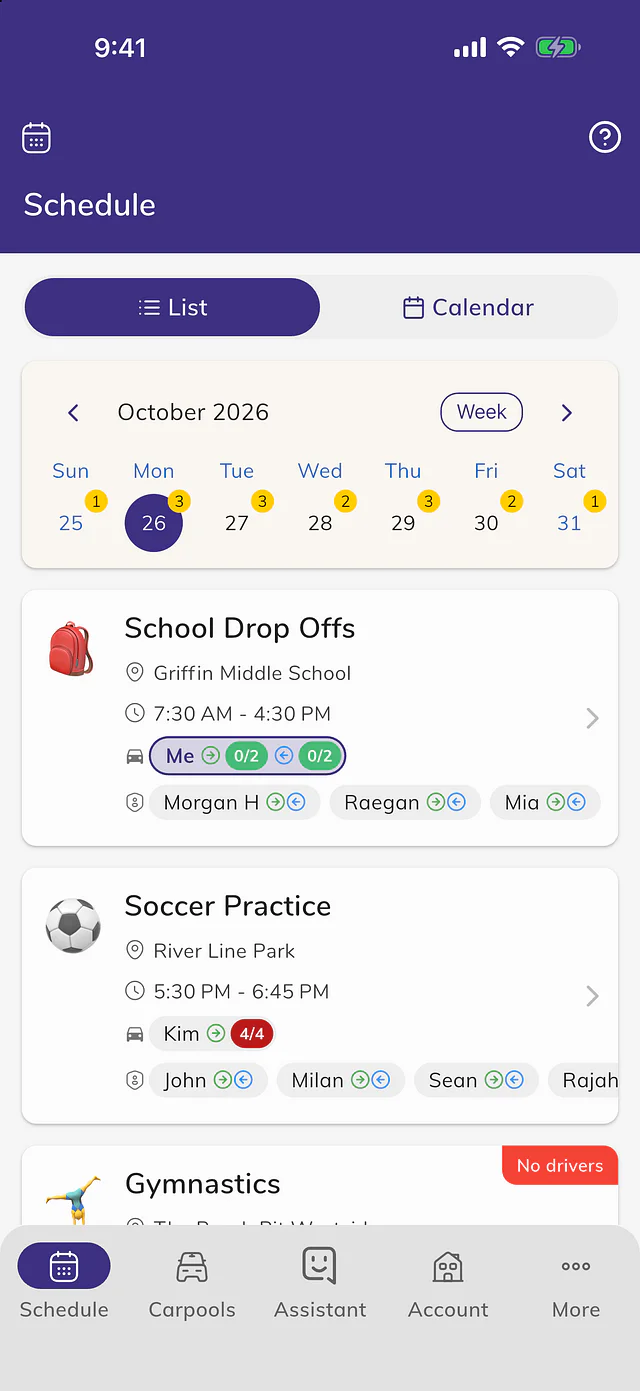
Daily List View
Live Ride Tracking
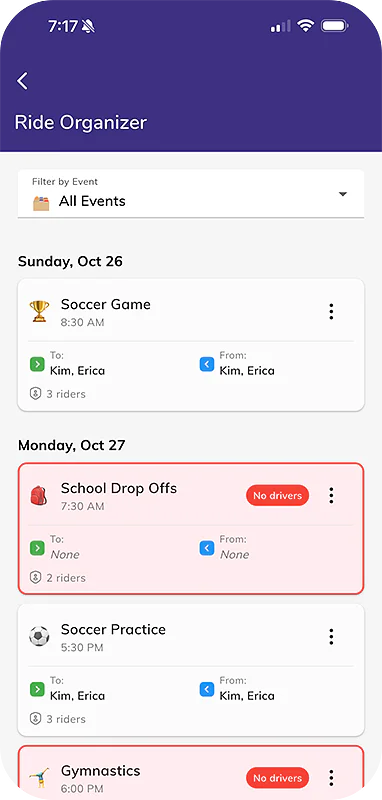
Driver Availability Manager

Everything your carpool needs

Live rides Premium

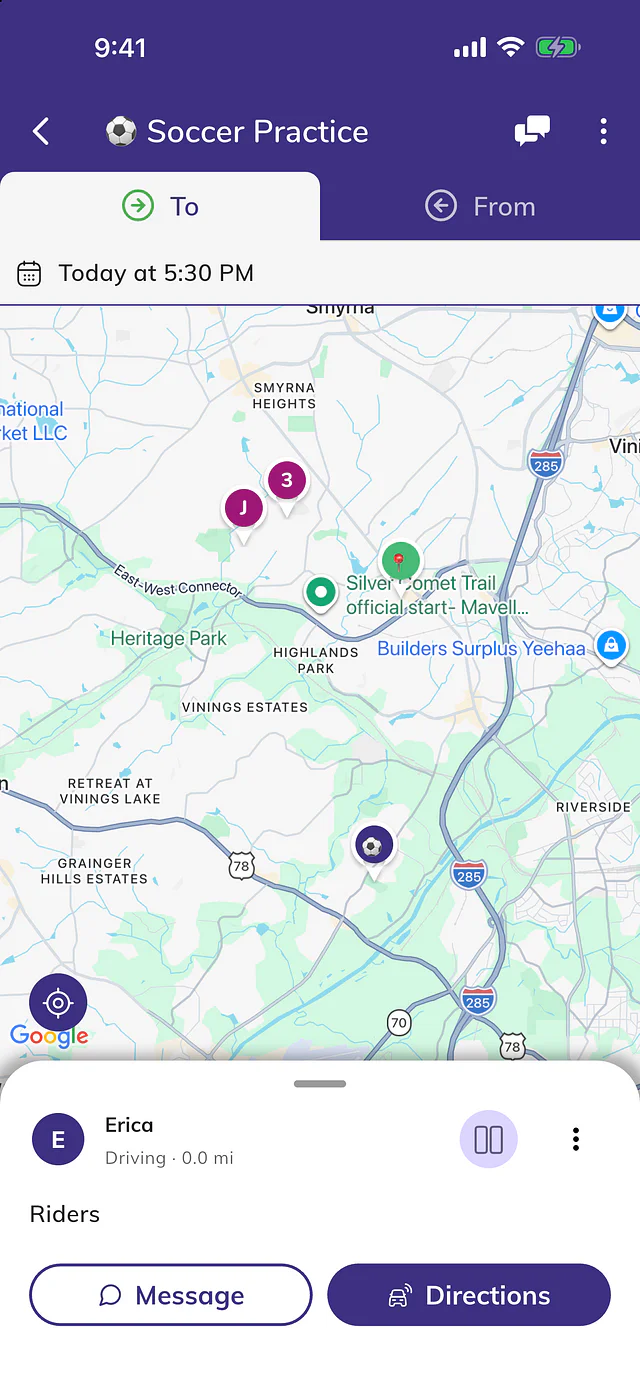
Share the ride live

Share your location while you drive, so families see where the car is and when the kids will arrive.
Carpools Premium

As many carpools as you need

School, sports and weekend rides with other families, beyond the 2 free carpools.

AI schedules Premium

A fair rotation in seconds

The assistant drafts a fair driving schedule for the whole group.

Routes Premium

The quickest way round

Pickups and drop-offs in the fastest order for your car.

Calendars Premium

Rides on your calendar

Your drives in Apple Calendar, Google Calendar or Outlook.

Family sharing Premium

One plan for the family

One subscription covers your partner too, and the carpools they organize.

Try it · sample family

One log for everyone, and an assistant that knows it

Ask Tibbs a question, or log something in one sentence. Answers come from the family's shared log.

Rides Soccer carpool with Sarah
  • To soccer · 4:00 PMSarah driving · Emma, Jack, and Noah Tomorrow
  • Home from soccer · 5:30 PMYou driving · Emma, Jack, and Noah Tomorrow
  • To soccer · 4:00 PMSarah driving · Emma, Jack, and Noah Friday
  • Home from soccer · 5:30 PMYou driving · Jack and Noah Friday

Everyone in the family sees each entry as it is logged.

Tibbs Kid Hop assistant

What's on tomorrow?

Tomorrow you have two rides. Soccer practice at 4:00 PM — Sarah is driving there and you are bringing everyone home. Emma and Jack are both riding.

Do I have a free seat on the way home?

You have 4 seats and 3 riders booked for the ride home, so there is one seat free.

Add Emma to the ride home on Friday

Done — Emma is on Friday's ride home. ✓ You always get to confirm before I change anything.

How do families usually split the driving fairly?

Most groups settle on a fixed weekly rotation rather than trading trip by trip — it is easier to remember and much easier to spot when someone is quietly doing more than their share. Agreeing a swap rule up front for the weeks that go wrong matters just as much as the rota itself.

A sample family. Tibbs answers from their log only. Questions you type are kept for 90 days to improve the demo.
A look inside

Daily List View
Daily List ViewGet detailed daily schedules showing exactly who's driving, who's riding, pickup times, and any coverage gaps.
Live Ride Tracking
Live Ride TrackingFollow your carpool's journey in real-time with live GPS tracking, precise ETAs, and instant location updates.
Driver Availability Manager
Driver Availability ManagerEasily set your driving schedule and available seats, helping coordinate carpool arrangements weeks in advance.
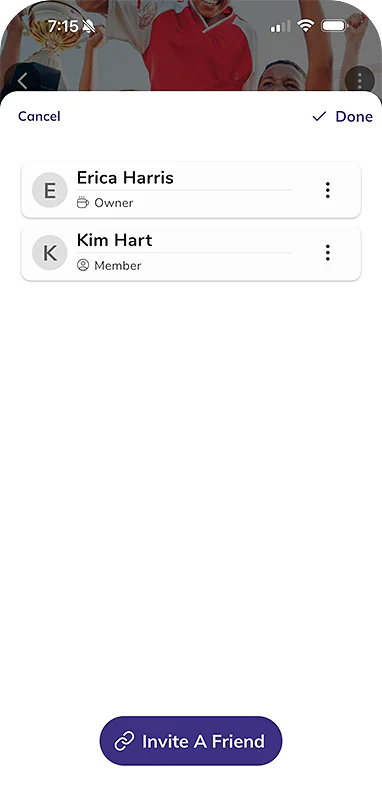
Invite Friends & Family
Invite Friends & FamilyQuickly invite friends, family, and neighbors to join your carpool with personalized invitations and easy sharing options.
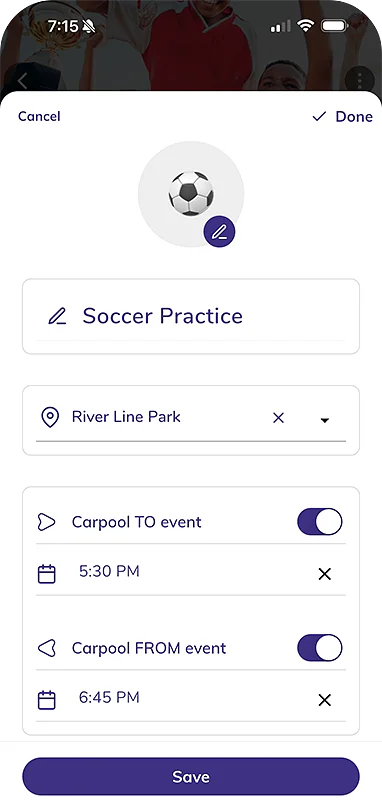
Create Multiple Events
Create Multiple EventsSchedule multiple recurring or one-time events for the same carpool group, perfect for varied schedules and activities.
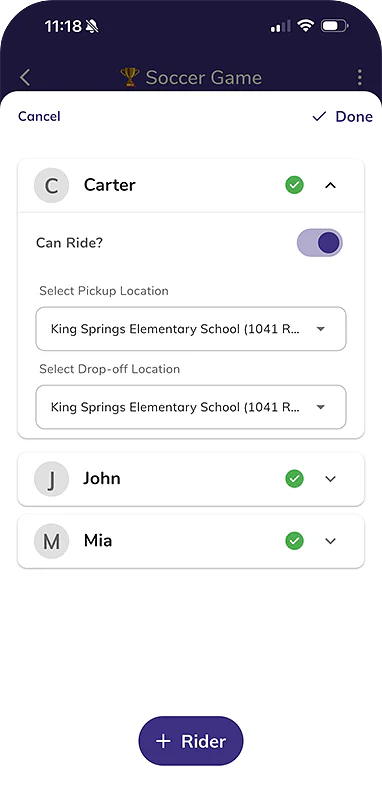
Add Multiple Riders
Add Multiple RidersAdd and manage multiple riders per family, each with their own pickup/dropoff locations, schedules, and availability settings.
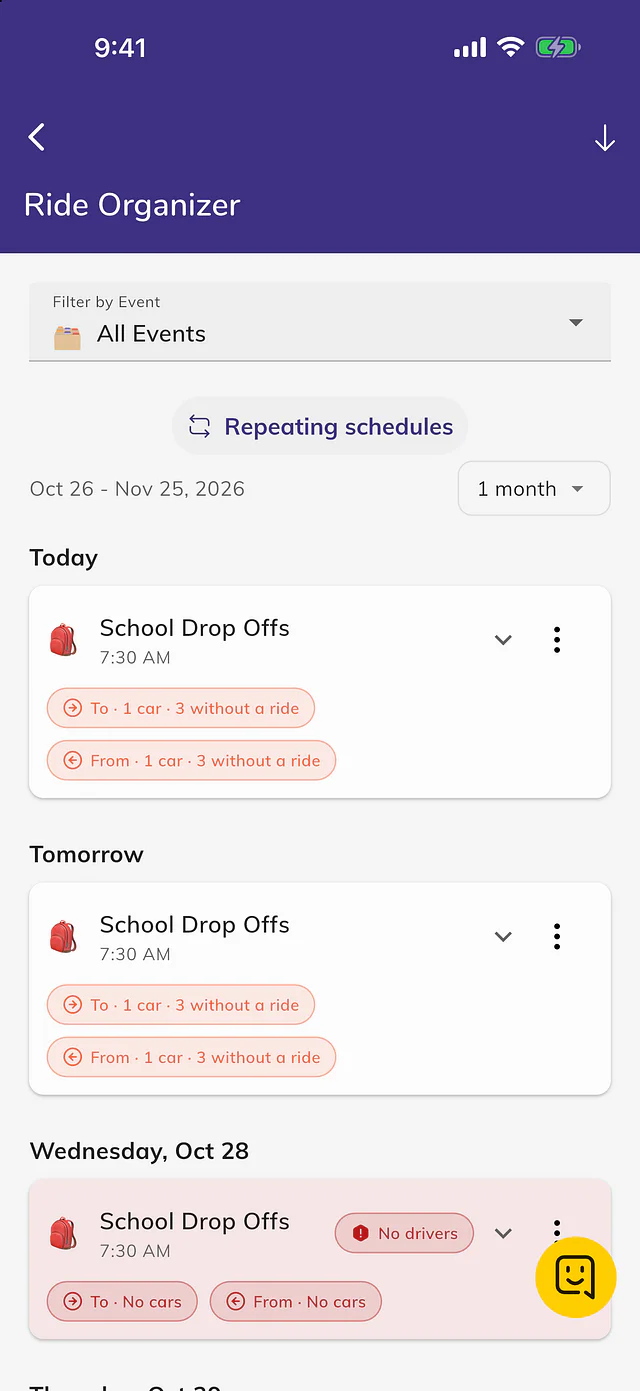
Carpool Organizer Dashboard
Carpool Organizer DashboardYour central command center for managing drivers, viewing event status, and ensuring every ride is covered.
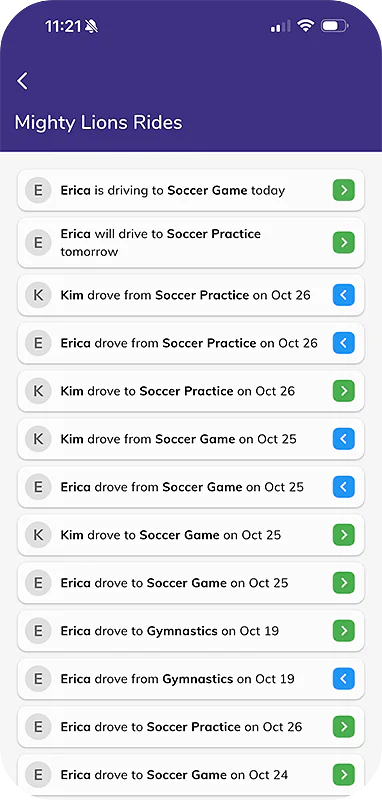
Carpool History & Contributions
Carpool History & ContributionsTrack ride history and driver contributions to ensure fair sharing of driving responsibilities across your carpool.
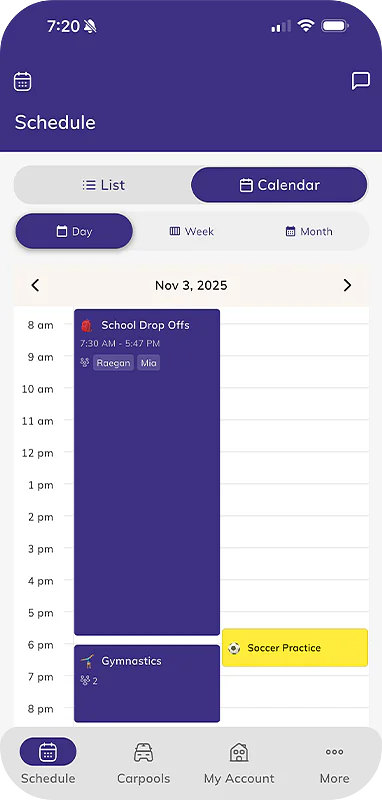
Calendar View
Calendar ViewVisualize all your carpool events in a monthly, weekly, or daily calendar format for easy planning and scheduling.
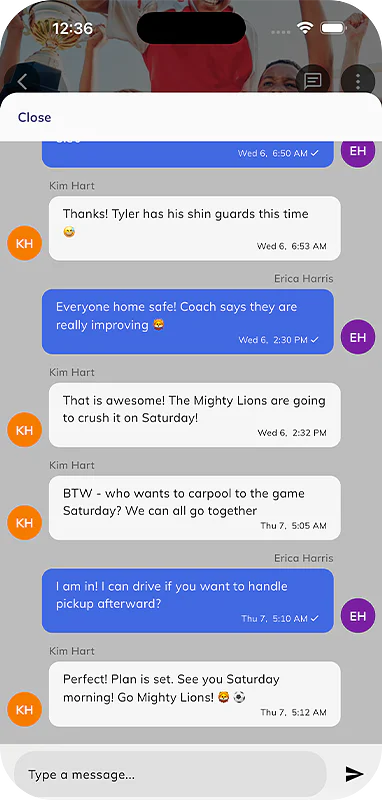
Carpool Chat
Carpool ChatKeep all carpool conversations in one place with real-time messaging that eliminates the need for separate group texts and WhatsApp threads.

Free, or Premium for the whole household

Everyone you invite gets Premium too, at no extra cost. Most plans start with a free trial.

See every Premium feature
Premium For the whole household
  • Live rides
  • Carpools
  • AI schedules
  • Routes
  • Calendars
  • Family sharing
  • AI assistant
  • Premium for your carpools
Try Premium free

Loved by carpool families

4.0

7 ratings on the App Store 4.0 on Google Play

Questions, answered

From the Kid Hop help center.

All help articles
How to sign in

Open the app's menu or Settings and tap Sign In, then choose Sign in with Apple, Sign in with Google, or your email. Email sign-in sends a 6-digit code to check. Read the article

How to Share Your Carpool and Invite Other Parents

Open your carpool, tap the members count, then tap Invite a Driver and share the invite by QR code, text, email or WhatsApp. The other parent joins from Join A Carpool. Read the article

I signed in but I don't see my data

Your data loads after you sign in, so wait a minute. If it's still missing, check you're using the email you first signed in with, then re-sync under My Account. Read the article

How To: Create and Edit a Carpool

Open Carpools, tap Carpool or the + at the top, enter a Carpool Name, optionally add a photo or color, then tap Save. Only the owner or an administrator can edit it. Read the article

What's free and what's in Kid Hop Premium

Yes, Kid Hop is free for organizing carpools. Premium adds unlimited carpools, plus live tracking, the AI assistant, the fastest route and Calendar Sync for every family in the carpools you organize. Read the article

How to cancel a subscription or get a refund

Apple or Google handles cancellations and refunds, so cancel in your iPhone Settings under Subscriptions or in Google Play, not by deleting the app. You keep Premium until the period ends. Read the article

Start free today

On iPhone, iPad and Android.

Point your phone's camera here